

The process of setting up a proxy on Android may vary depending on the version of the Android operating system.
1
Open WLAN Settings
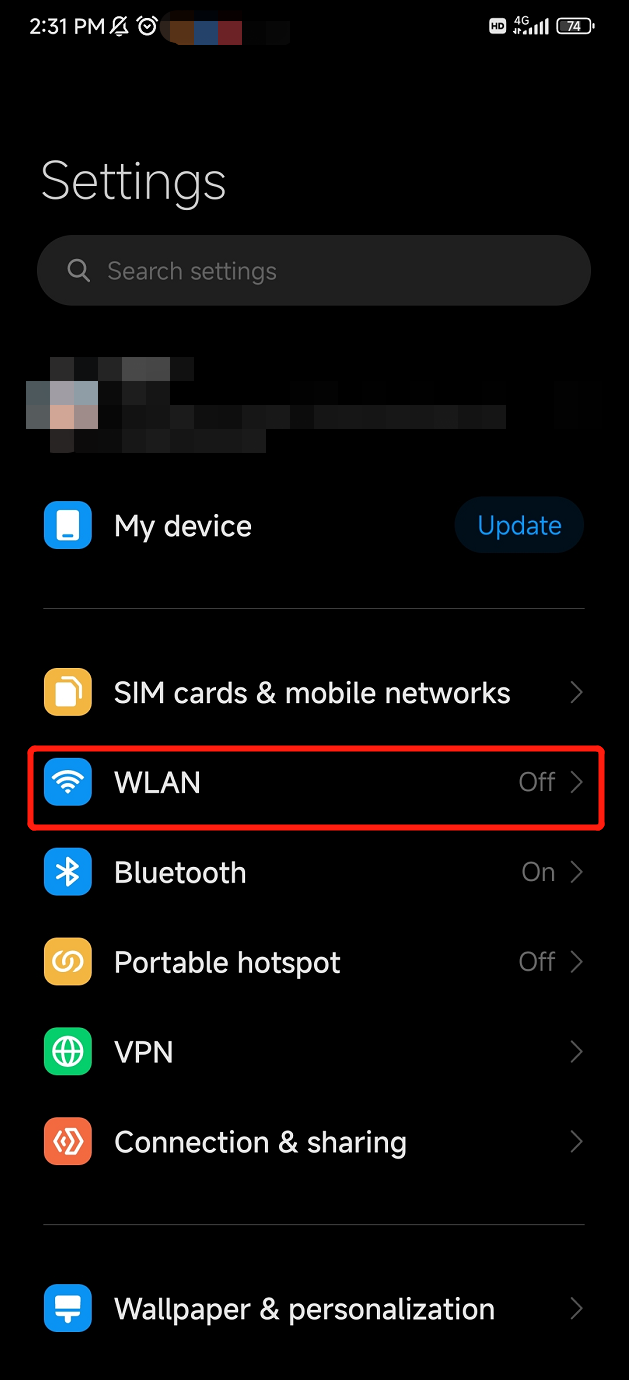
Open your Android Settings, Click on WLAN.
Show Instructions
Show Instructions
2
Find Proxy Settings
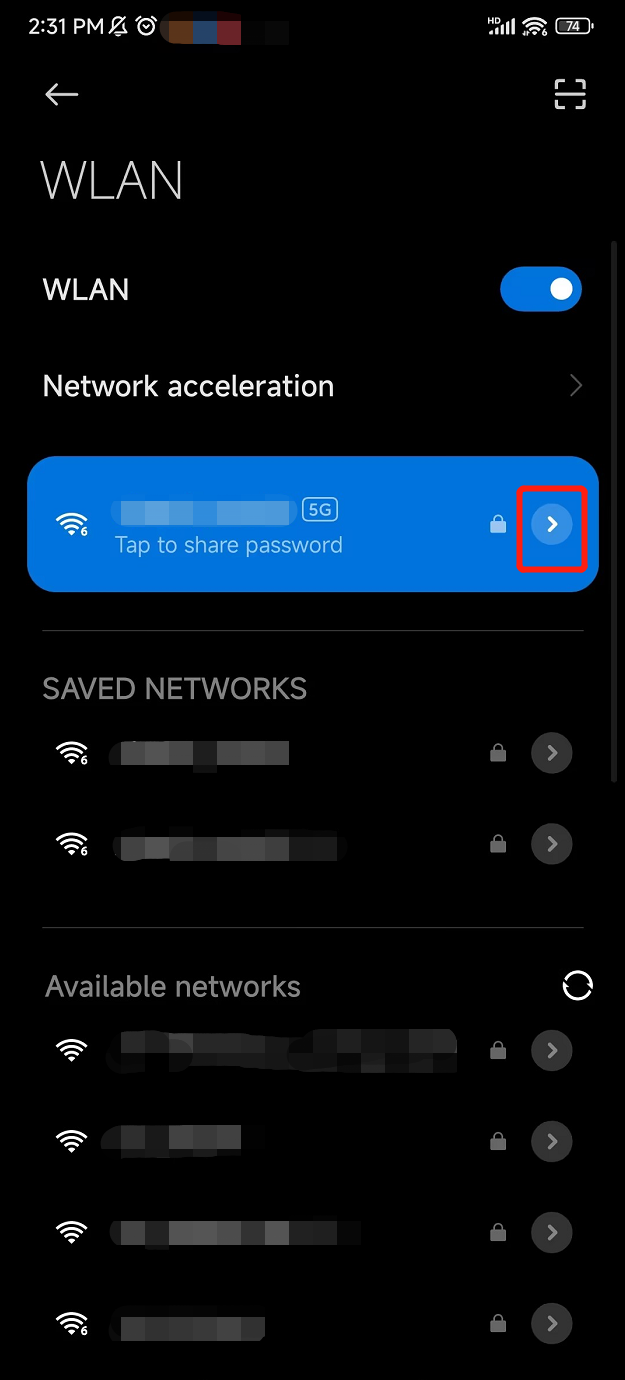
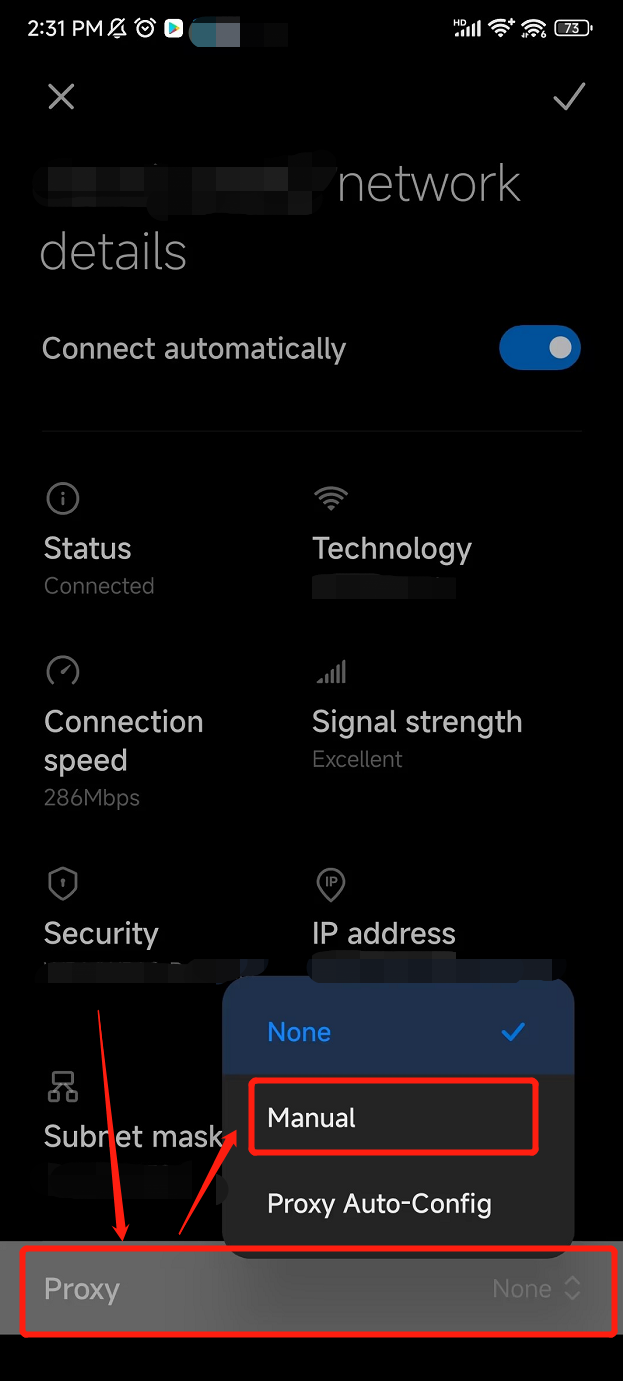
Tap the arrow icon to view the details of the connected Wi-Fi. Then, scroll down to the Proxy section and switch the status to Manual.
Show Instructions
Show Instructions
3
Configure Proxy Settings
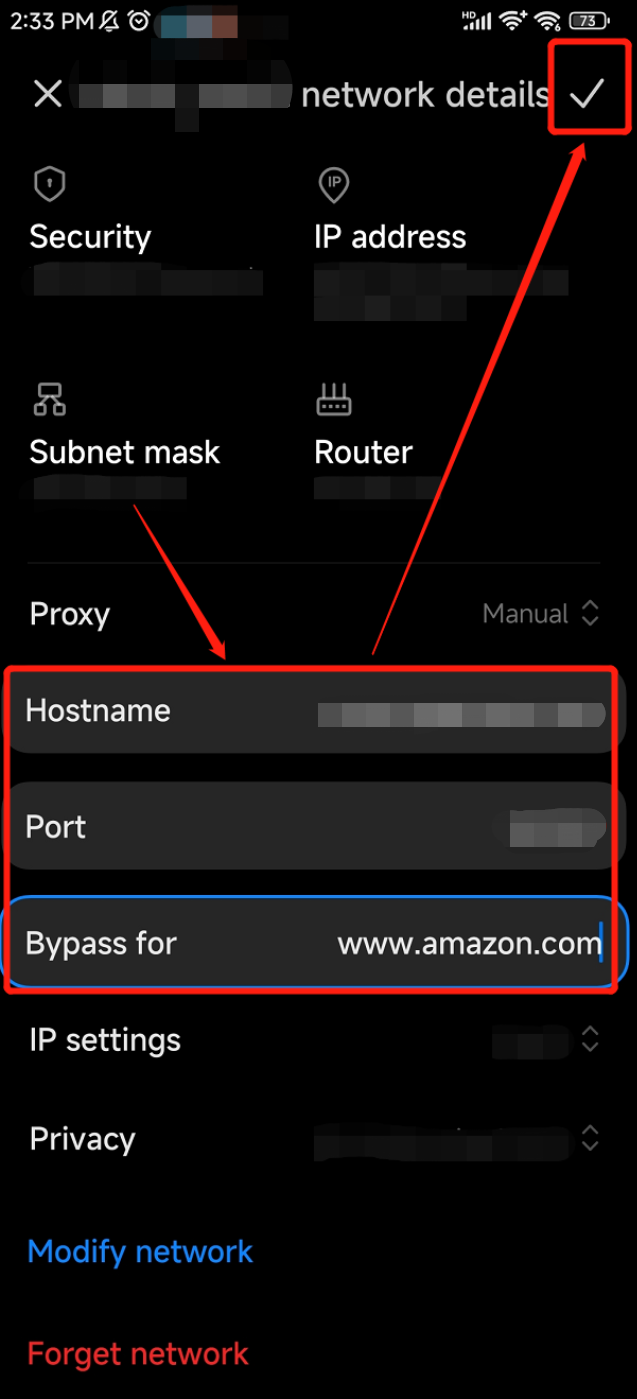
Fill in the fields for Hostname and Port. Tap the Check Icon to complete the configuration.
Show Instructions
Show Instructions
4
Work With Proxy